
Hypothesis Tracker for Notion: A Free Template for Solo Founders
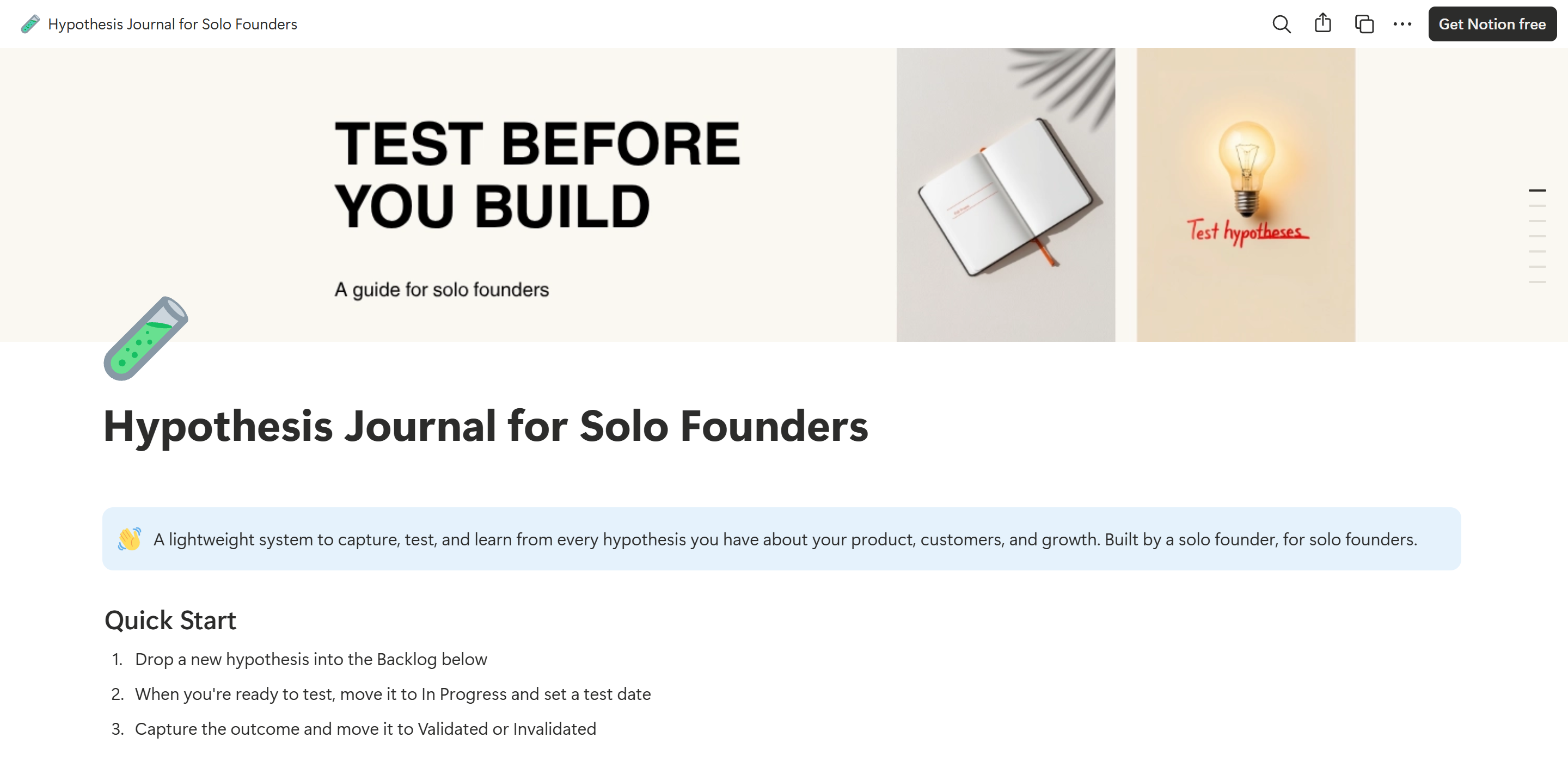
You have hypotheses. About your pricing, your hero copy, your onboarding, the channel that might finally work. Most of them sit in your head, in old Slack messages, or in a half-filled Notion page that nobody opens twice. By the time you ship the change, the original reasoning has evaporated. By the time the result comes in, you have already moved on.
This template is the smallest possible answer to that problem. A single Notion database, thirteen fields, one formula that turns four sentences into one. Five ready-to-use views. Five pre-filled example hypotheses you can study or delete. Free, no upsell, no signup gate beyond the email Notion asks for when you duplicate it.
Download here: Get the Hypothesis Journal on Gumroad. Or preview the live template first.
What's in the template
A single database called Hypotheses with thirteen properties. The structure is intentional: every field exists because the absence of that field is what kills hypothesis tracking in practice.
- Name. The shorthand you'll use to refer to the hypothesis later.
- Status. Idea, Testing, Validated, Invalidated, or Paused. The five states that cover every real lifecycle.
- Confidence. Low, Med, or High. Forces you to declare your prior before the result lands.
- Tag. Pricing, Onboarding, Acquisition, Retention, Feature, Messaging, UX. Multi-select so cross-cutting hypotheses can be classified honestly.
- We Believe. The change you are proposing.
- Will Lead To. The outcome you expect.
- Because. Your reason for expecting that outcome.
- Hypothesis Statement. A formula field that auto-generates "We believe that [change] will lead to [outcome] because [reason]." You write four sentences, the template gives you back one.
- Success Criteria. The threshold that decides validated versus invalidated.
- Date Created and Date Tested. Time stamps for both ends of the test.
- Outcome. What actually happened.
- Lessons Learned. The single most important field, and the one most founders skip.
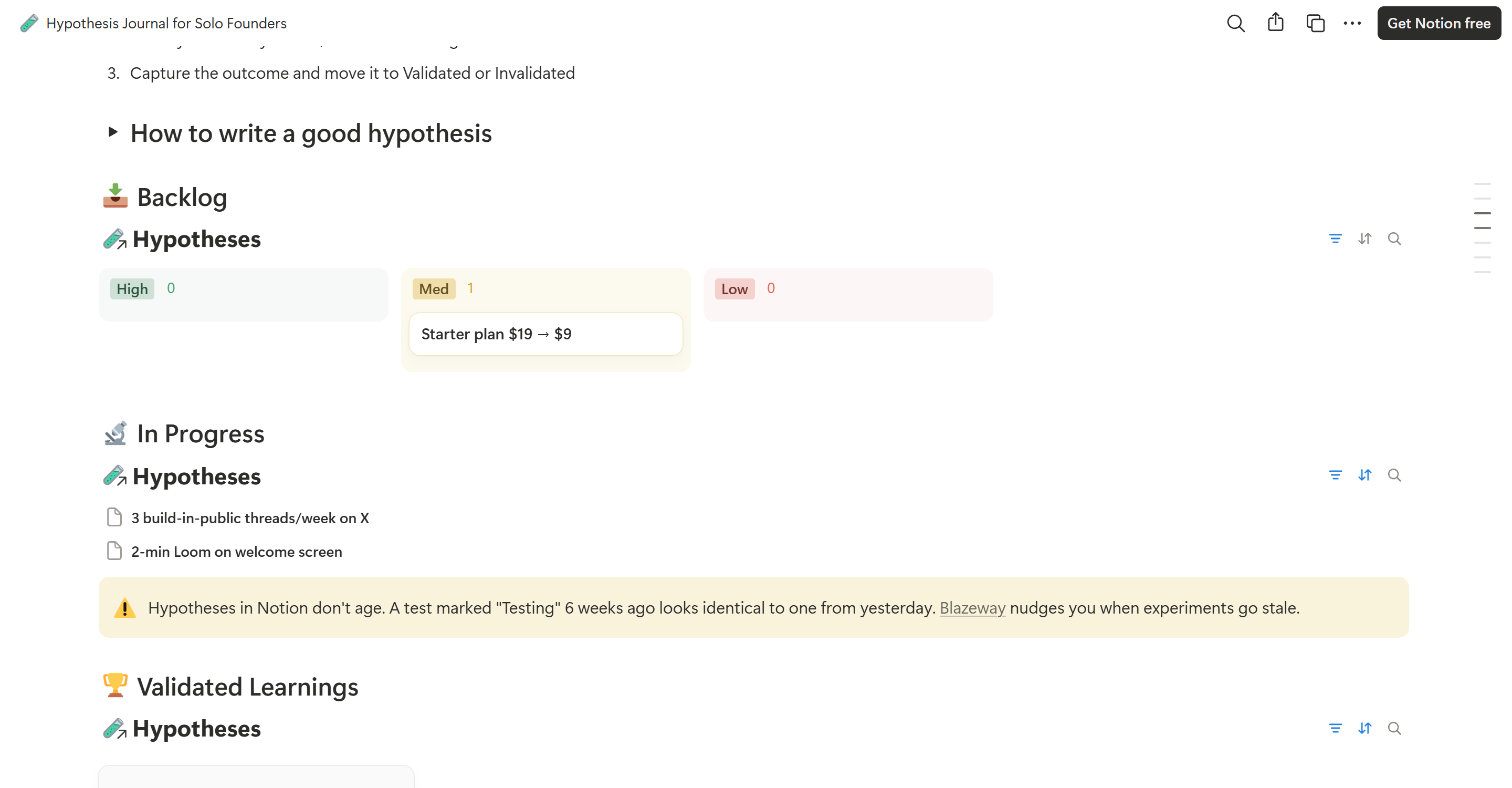
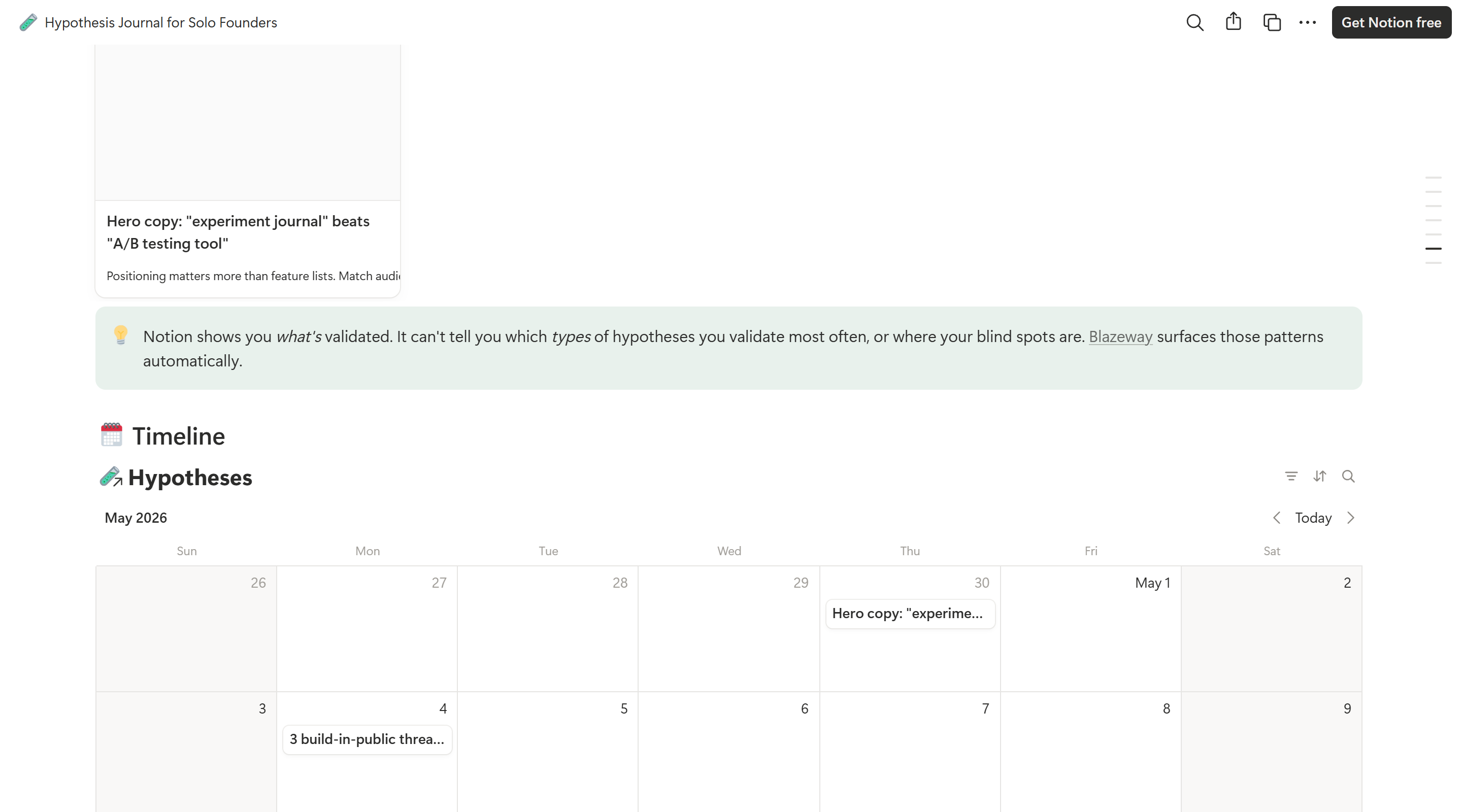
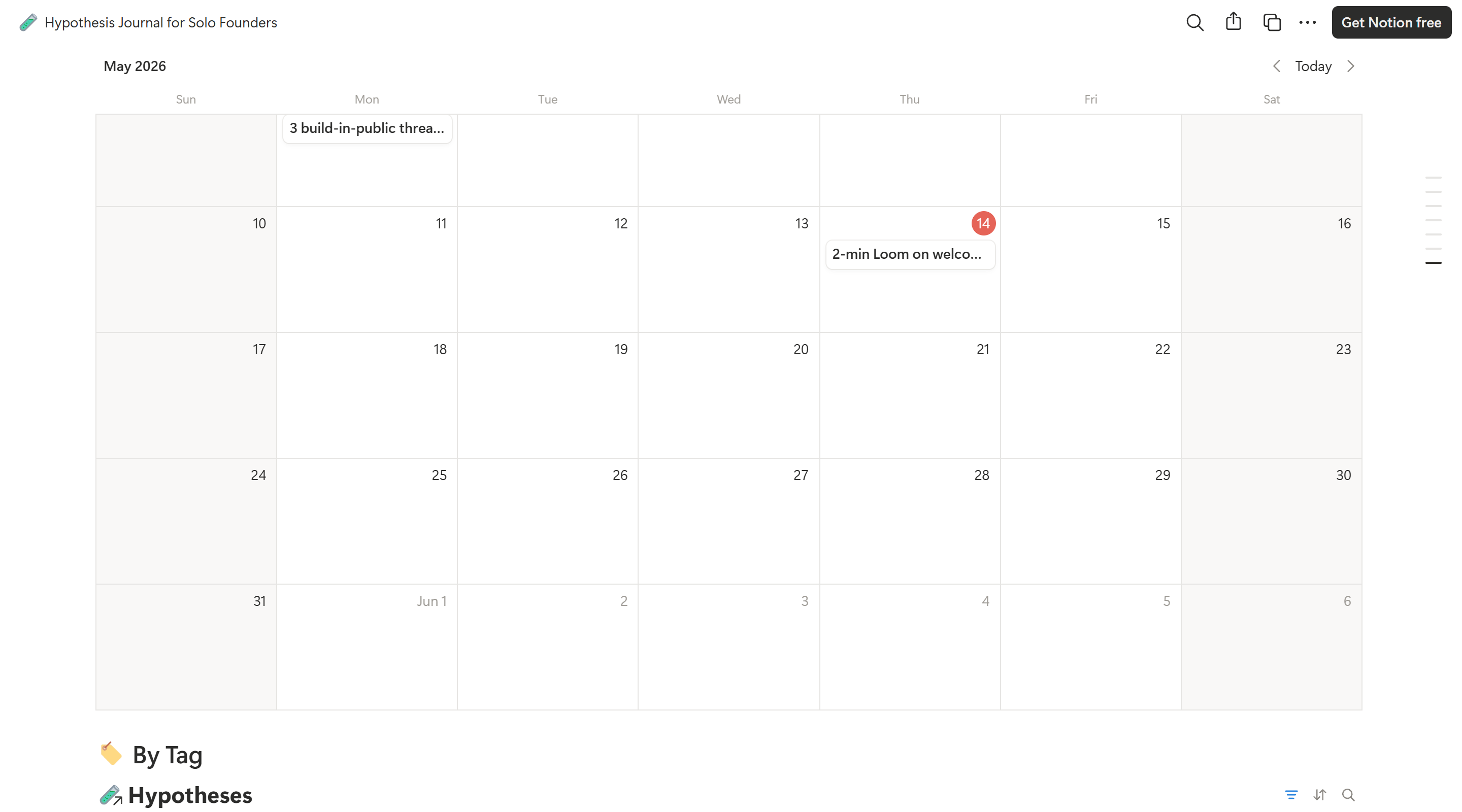
Five views are pre-configured: Backlog (board grouped by Confidence), In Progress (list sorted by test date), Validated Learnings (gallery with Lessons Learned as the card preview), Timeline (calendar on test date), and By Tag (board grouped by tag, filtered to validated and invalidated entries).
How to use it
Three steps. The Quick Start section inside the template walks you through the same flow.
- Drop a new hypothesis into the Backlog. Fill out We Believe, Will Lead To, and Because. The Hypothesis Statement field generates itself.
- When you are ready to test, move the entry to In Progress and set a test date. The Timeline view starts tracking it automatically.
- Capture the outcome and move the entry to Validated or Invalidated. Write the Lessons Learned. The Validated Learnings gallery surfaces the entry as a card you can revisit anytime.
That is the whole loop. The five pre-filled examples (positioning hero copy, onboarding Loom, pricing test, build-in-public threads, SEO blog posts) show you what good entries look like across different categories. For a deeper look at the structure behind every entry, see the guide on how to document experiment results.
Why I built it
I am building Blazeway, an experiment journal for solo founders. Before writing a line of product code, I needed to test the basic premise: do solo founders actually want to track hypotheses, or am I solving a problem only I have?
So I built the smallest possible version of what Blazeway would become. I used it on my own positioning, pricing, and channel hypotheses. The system held. Some hypotheses validated. Some did not. The discipline of writing the prediction before running the test changed which experiments I bothered with in the first place.
I am publishing the template free because it answers the question "is this useful for me?" before anyone has to commit to a paid tool. If you fill it up and the next questions become "which of my experiments are stalling?" or "what patterns am I missing across my validated tests?", that is when Blazeway picks up.
When the template stops being enough
A Notion template is great for the first twenty to thirty hypotheses. After that, three problems start to show up. Knowing them up front saves you the surprise.
First, hypotheses in Notion don't age. A test marked "Testing" six weeks ago looks identical on the page to one from yesterday. Notion has no concept of an experiment going stale, so you have to remember to check in manually. In practice, you don't.
Second, Notion shows you what is validated. It cannot tell you which types of hypotheses you validate most often, or where your blind spots are. The pattern recognition that turns twenty data points into a strategic insight only happens if you sit down and re-read every entry, which nobody does at scale.
Third, Notion has no notion of an experiment chain. The fact that experiment seventeen is the natural follow-up to experiment eight is information that lives only in your head, until your head loses it. Connected tests are how isolated experiments turn into stories that compound.
How this compares to other approaches
Most solo founders default to one of three setups. Each has a specific failure mode this template is designed to avoid.
A spreadsheet. Fast to set up, terrible at categorical filtering and views. You end up with a column called "status" full of inconsistent strings ("done", "Done", "DONE", "shipped"), no relational structure, and no way to see only validated entries grouped by tag without rebuilding the sheet. The template solves this with typed select fields and pre-configured views.
A dashboard tool. Whether that is an A/B testing platform, an analytics dashboard, or a project management tool. Dashboards record outcomes, not reasoning. They tell you variant B converted 18 percent higher. They cannot tell you what variant B winning means about your users. The template puts the reasoning in the same record as the outcome, which is the entire point of treating product decisions as documented experiments.
Nothing at all. The most common option. You ship, you observe, you move on. Six months later you face the same decision and reinvent the analysis from scratch. The template is designed to make documentation cheap enough that "nothing at all" stops being the easier path.
How it works alongside Blazeway
The template uses the same backbone as Blazeway: a hypothesis sentence, a status lifecycle, and a structured outcome capture. The fields map one to one. If you outgrow the template and switch to Blazeway later, the mental model carries over with no relearning.
Blazeway adds what Notion structurally cannot: aging signals when experiments go stale, pattern detection across your validated learnings, and experiment chains that connect related hypotheses. The template is the right answer for the first twenty hypotheses. Blazeway is the right answer for the next two hundred.
Key Takeaways
A Notion template gives you structure cheaply and immediately, with no integrations and no paid plan required. The Hypothesis Journal captures the four-part hypothesis sentence, the status lifecycle, the test date, the outcome, and the lessons learned. Five pre-configured views surface the data the way solo founders actually use it. The system holds for the first twenty to thirty hypotheses. After that, the absence of aging signals, pattern detection, and experiment chains starts to cost you. The template is the right place to start. The discipline of writing the prediction before the test is the part that compounds.
Frequently Asked Questions
Is the Notion hypothesis template really free?
Yes. Pay-what-you-want pricing on Gumroad with a zero-dollar minimum. The email-required checkout is so I can see who is using the template, not to run a sales sequence. You will not be added to a marketing funnel.
Does this template need a paid Notion plan or any integrations?
No. The template works on the Notion Free plan. There are no integrations, no API connections, no automations. Just a structured database with thirteen properties and five pre-configured views.
What is included in the free Notion hypothesis template?
A single Notion database called Hypotheses with thirteen properties including a formula field that auto-generates the hypothesis sentence, five pre-configured views (Backlog, In Progress, Validated Learnings, Timeline, By Tag), five pre-filled example hypotheses across pricing, onboarding, acquisition, messaging, and SEO, plus a built-in writing guide for crafting good hypotheses.
When does this Notion template stop being enough?
Around twenty to thirty hypotheses. After that, three problems appear: hypotheses in Notion don't age, so stale tests look identical to fresh ones; Notion shows you what is validated but cannot tell you which types of hypotheses you validate most often; and Notion has no concept of an experiment chain that connects related tests over time.
How is this Notion template different from Blazeway?
The template is a Notion database with five views, designed for solo founders running one to three concurrent experiments. Blazeway is a tool built specifically for hypothesis-driven product work, with aging signals when experiments go stale, pattern detection across validated learnings, and experiment chains that connect related tests. The mental model is the same; the scale and automation are different.
Can I customize the template after I download it?
Yes. Once you duplicate the template into your own Notion workspace, every field, view, formula, and example is yours to edit. The five pre-configured views are starting points, not fixed. You can delete the example entries the moment you have your own hypotheses to track.
Stop running experiments without a system. Start tracking hypotheses, validations, and learnings in a single Notion workspace.
Get the free template →Pay what you want. Zero-dollar minimum. No sales sequence.
Daniel Janisch
Founder of Blazeway. Indie builder focused on privacy-first product tooling for solo founders.